Listr
Drag, drop and shop smarter
Listr sorts your items by store — and lets you drag and drop them where they belong. Always synced with the whole family.
What Listr really is
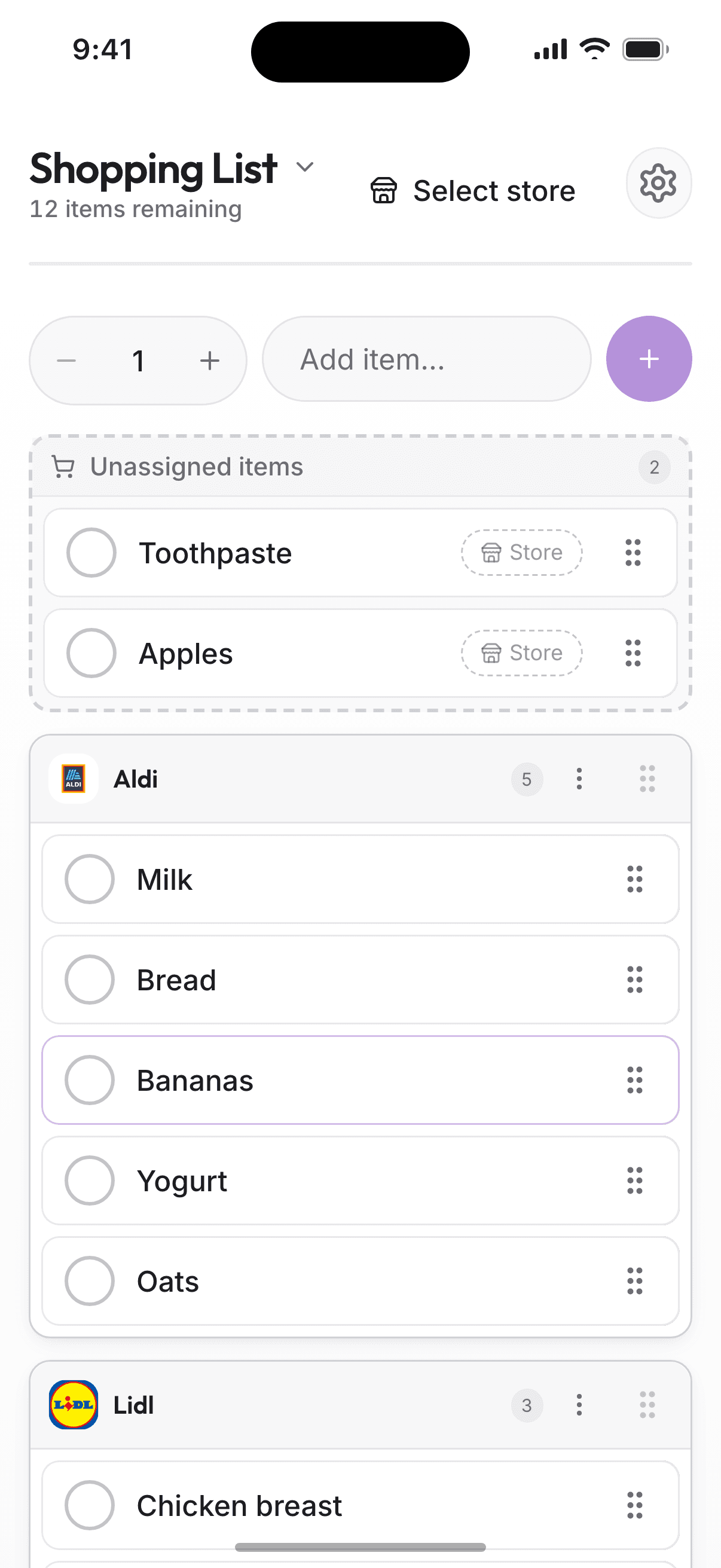
Listr is one shared, living shopping list. Items are automatically sorted by store, and you can drag and drop them between stores with a tap.
Not Listr is not a basic checklist. It knows where you shop and helps you get through the store faster.
See it in action
Shopping list sorted by store
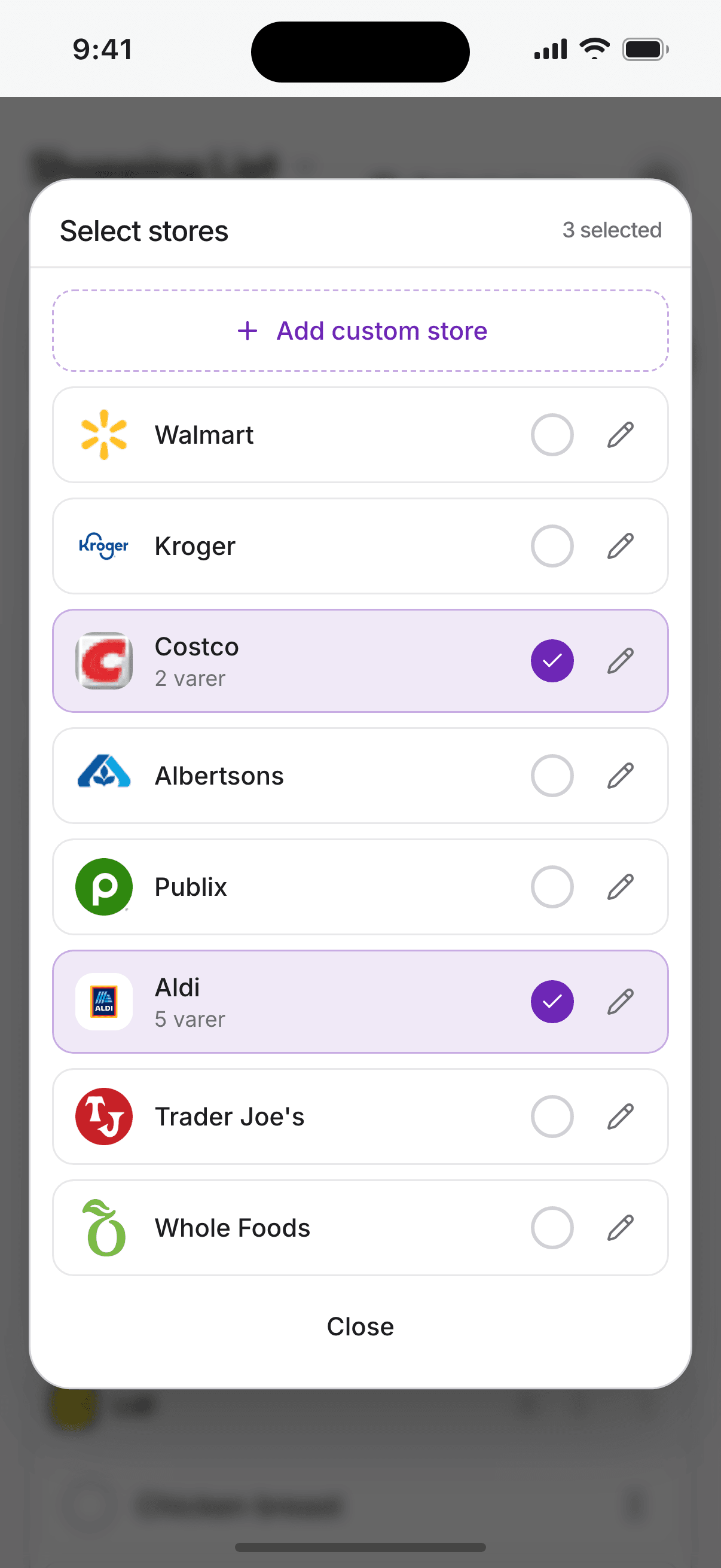
Choose your stores
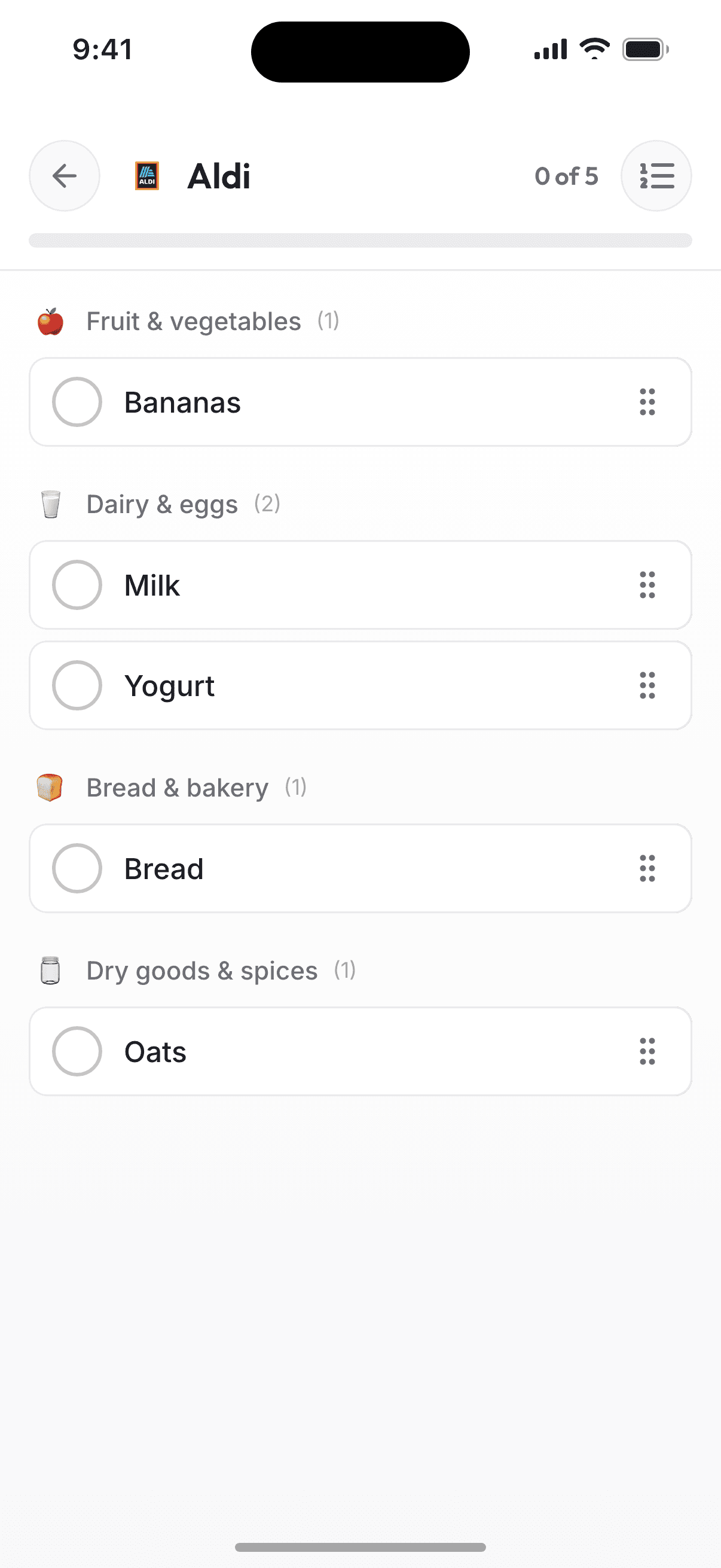
Store mode with progress
How it works
Add items
Manually, from Recipr recipes, or automatically from Pantr when something runs out.
Drag and drop to the right store
Items are sorted by store. Drag them between stores with a finger.
Shop and update Pantr
Check off as you go — and add purchased items straight to your pantry.
What you get
No more backtracking
Store-sorted lists keep you moving. Store mode shows only what you need, sorted by category.
Drag and drop
Move items between stores with a tap. Quick and easy.
Fewer double purchases
Everyone sees what's bought and what's left — in real time.
Nothing forgotten
Items flow in from Pantr and Recipr automatically. Your list is always complete.
Stores with real logos
Search by store name or paste a web address — the logo is fetched automatically.
Works offline
Add and check off items without coverage — changes sync automatically when you're back online.
Listr works best together with
Listr is the last step in the food flow: Pantr → Fridgr → Recipr → Listr.
At the store
Everything sorted. No double purchases.
You open Listr and select store mode.
See only the items for the store you're in.
Check off as you shop.
The family sees progress at home.
Done? Tap 'Add to Pantr' — items are registered in the pantry.
Pricing for Listr
Food bundle
Save with bundle
Listr is the last step in the food flow, and works best with the rest. Includes Pantr (overview), Fridgr (decisions), Recipr (recipes) and Listr (shopping).
See all bundles