Listr Shared shopping list
Everybody writes on it. One person shops.
You are in the store with the list in your hand. The rest of the list is on somebody else's phone at home, and the milk is on that part. Listr is one list the whole family writes on, sorted by the store you are standing in.
What Listr really is
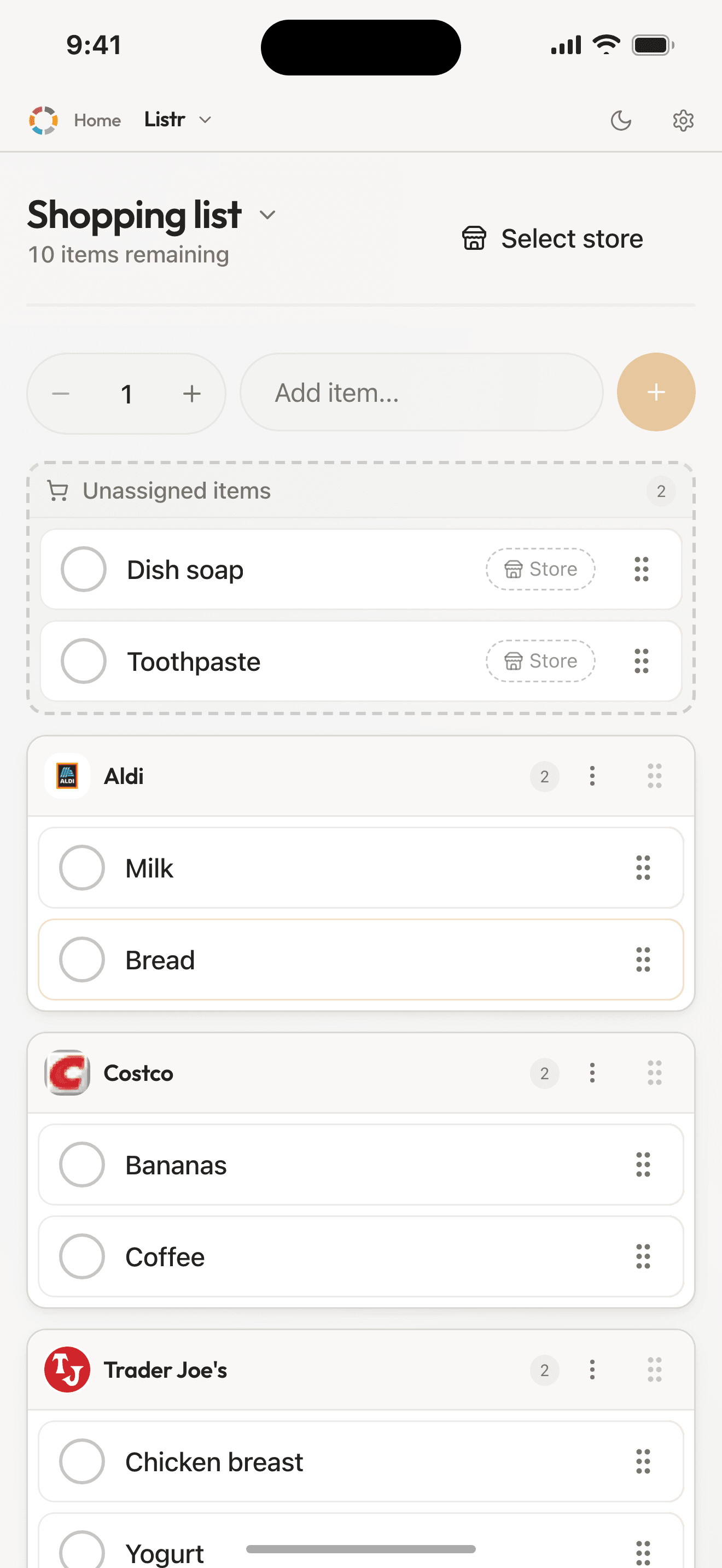
One list everybody writes on at the same time. Items group by store. You are not scrolling past things that belong somewhere else entirely. Keep a list each and it ends in one double-buy and one forgotten item.
Listr is not a checklist you tick off. It knows which stores you shop in, and sorts the items by them.
See it in action
How it works
Add items
Type them in yourself. From Pantr you send over whatever has run out, and from Fridgr what dinner is missing.
Drag them to the right store
Items sit grouped per store. If something lands in the wrong place, you drag it across with a finger.
Shop, and fill the pantry
Check off as you walk. The people at home see the progress right away. Afterwards you put what you bought straight into Pantr.
What you get
- No more backtracking
- Store mode shows only the items for the store you are standing in, grouped by section in the order you walk that shop.
- Everyone sees the list in the same second
- Somebody adds milk at home and you see it in the store. It is the walk back across the shop floor that you skip.
- A forgotten item is not one item
- It is another trip to the store. Or a dinner swapped out at five o'clock. Better a list that is right than a list that is long.
- Sorted by store
- Pick the stores your family shops at. Each one gets its own list. The Aldi items do not clutter up the Costco list.
- Stores with real logos
- Search for the store or paste its web address. The logo is fetched automatically. The list looks like the place you are standing in.
- Works without coverage
- Add and check off offline. The changes go in by themselves once the phone is back on the network.
Listr works best together with
Listr is the last step in the food flow: Pantr sees what has run out, Fridgr sees what dinner is missing, and both send it here. Listr is in both packages. Pantr and Fridgr come with Organr Plus.
Scenario
At the store
Everything sorted for where you are standing. The people at home are following along.
- You park outside the store and switch on store mode.
- Only the items for that store show up, sorted by where they sit in the aisles.
- You check off as you fill the cart, and the progress bar at the bottom shrinks.
- At home your partner thinks of bread. It appears before you reach the till.
- Afterwards you tap 'Add to Pantr', and the pantry is up to date.
Pricing
The package Listr is in
Organr
- Week
- $1.90$98.80 a year
- Month
- $5.90$70.80 a year
- Year
- about$4.92/mo$59.00 charged once a year, and that works out cheapest over a year.
- 7 days free, nothing is charged automatically
- Room for six members on one subscription
- Paid for and cancelled in the App Store
Questions about Listr
Can we sort the list by shop?
Yes. You pick the shops your family actually uses, and put each item on the shop you will buy it in. In shop mode you see only the shop you are standing in, with the sections in the order you put them in for that shop and a progress bar at the bottom.
Can several people add items at once?
Yes. Whoever is in the shop sees what gets added from home, without refreshing anything.
Which package includes Listr?
Listr is part of Organr. The modules are not sold separately. The price is the same whether you use one of them or all of them. The package costs $1.90 a week or $5.90 a month for the whole household. You try everything free for 7 days first, and cancel in the App Store whenever you want.
Does everyone in the family need their own account?
No. One adult sets up the household with their email address. Everyone else is added as a member. They sign in by tapping their name and entering a code, so children need neither email nor password. The household has room for 6 members. The price is the same whether there are two of you or 6.
Do the others see changes straight away?
Yes. Listr syncs while you use it. Whatever one person adds shows up for everyone else, without anyone having to refresh.
How do we install Organr?
You download it from the App Store. It is one app with every module inside it, so there is nothing else to install.
Read more
- The Complete Guide to Organizing Your Family's Schedule in 2026What you know about your family sits in five places that never talk to each other. Five steps to pull it together: calendar, chores, list, dinners, Sunday.9 min read
- How to Stop Forgetting the Grocery List: Tips + Free TemplateForgetting the list is a solved problem. Five habits that fix the system for good, plus a printable template if you still prefer pen and paper.6 min read
- Family Meal Planning for Beginners: A Week-by-Week GuideIt does not have to mean batch-cooking Sundays and colour-coded spreadsheets. A week-by-week guide that starts with three dinners and ends the 5:30 panic.7 min read